distractionless
Automatic windowed distraction free mode while editing in Sublime Text.
Installations minus removals
Upgrades
- 940 installs
- 1 stars
Links
Versions
5.0.2
(ST4203+)
·





distractionless plug-in for Sublime Text
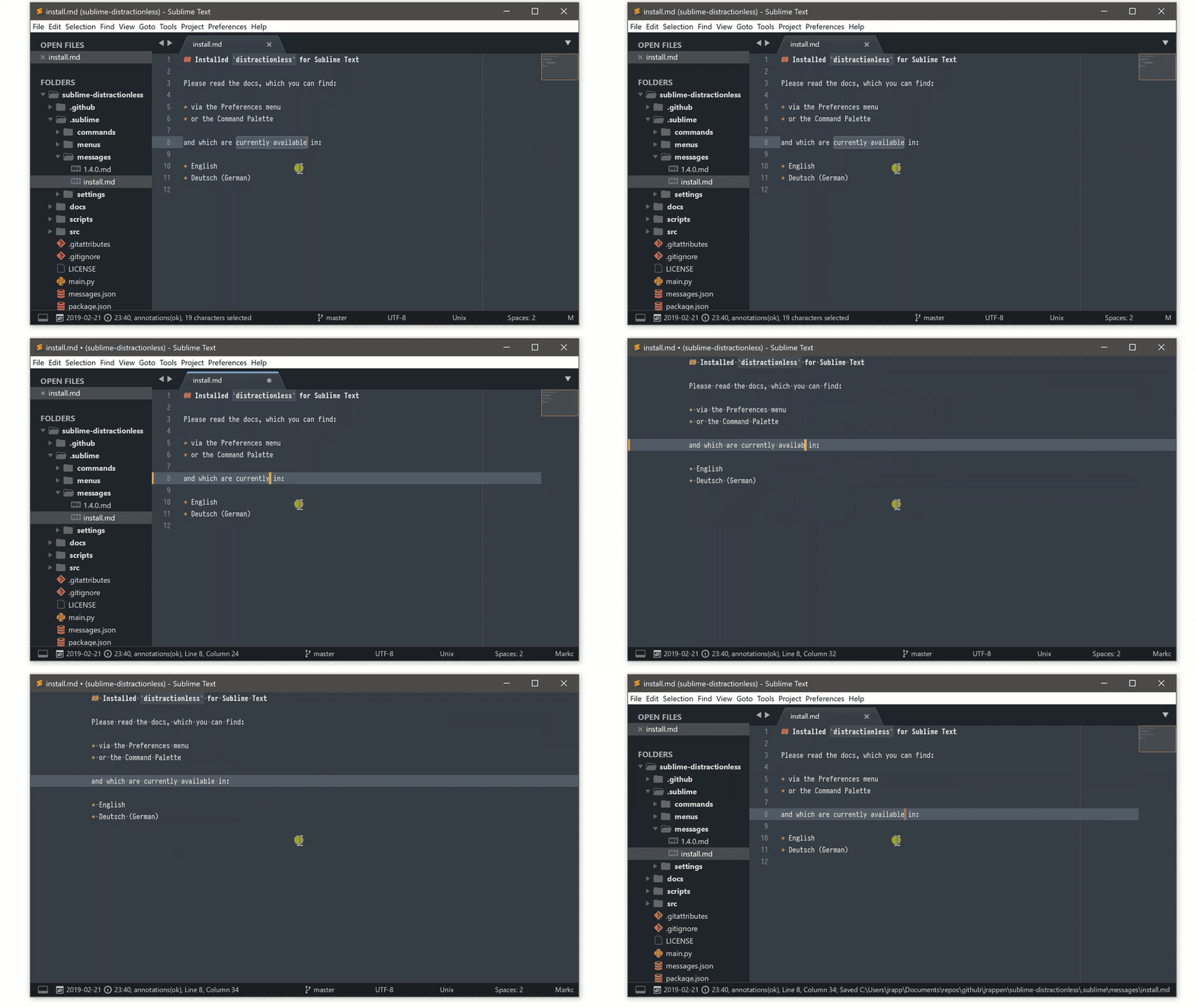
Automatic windowed distraction free mode while editing in Sublime Text.
Code of conduct
https://github.com/jrappen/.github/blob/master/CODE_OF_CONDUCT.md
Contributing guide
https://github.com/jrappen/.github/blob/master/CONTRIBUTING.md
Requirements
distractionless targets and is tested against the latest Build of Sublime Text, currently requiring Build 4203 or later.
- Download Sublime Text
- Install Package Control via the menu
Tools > Install Package Control- Close and reopen Sublime Text after having installed Package Control.
Installation
Using Package Control is required, as it keeps your packages (with their dependencies) up-to-date!
Installation via Package Control
- Open the Command Palette (
Tools > Command Palette). - Choose
Package Control: Install Package. - Search for
distractionlesson Package Control and select to install.
Usage
distractionless makes Sublime Text automatically enter Distraction Free mode in a windowed environment when you start editing a file.
distractionless will then make Sublime Text automatically switch back to normal mode as soon as:
- you save, open or clone a file.
- you open new, switch or close tabs.
- Sublime Text gains focus.
Settings
Use the settings of Sublime Text to customize how views are displayed in each mode:
Preferences > SettingsPreferences > Settings - Syntax SpecificPreferences > Settings - Distraction Free
You might want to set the following in Preferences > Settings:
// Packages/User/Preferences.sublime-settings

{
    "auto_hide_menu": true,
    "auto_hide_status_bar": true,
    "auto_hide_tabs": true,

    // number of changes after which UI is toggled automatically
    "distractionless.toggle_after": 1,

    // toggle minimap when switching modes
    "distractionless.toggle_minimap": true,

    // toggle sidebar when switching modes
    "distractionless.toggle_sidebar": true
}
Source Code
https://www.github.com/jrappen/sublime-distractionless/
License
https://github.com/jrappen/sublime-distractionless/blob/master/LICENSE
Issues
Please use the command palette or the main menu to report an issue.