Wrap
🤖 Sublime Text plugin that "passes" text selected or under cursor into brackets
Installations minus removals
Upgrades
- 402 installs
- 3 stars
Links
Versions
1.1.2
·
More
-
1.1.1
·
2026-10-04 05:36
🤖 Wrap
Wrap is a simple but useful Sublime Text plugin that wraps the selected text (or text under cursor) with brackets (example: pass as argument into function/method, pass as index/key into array/list).
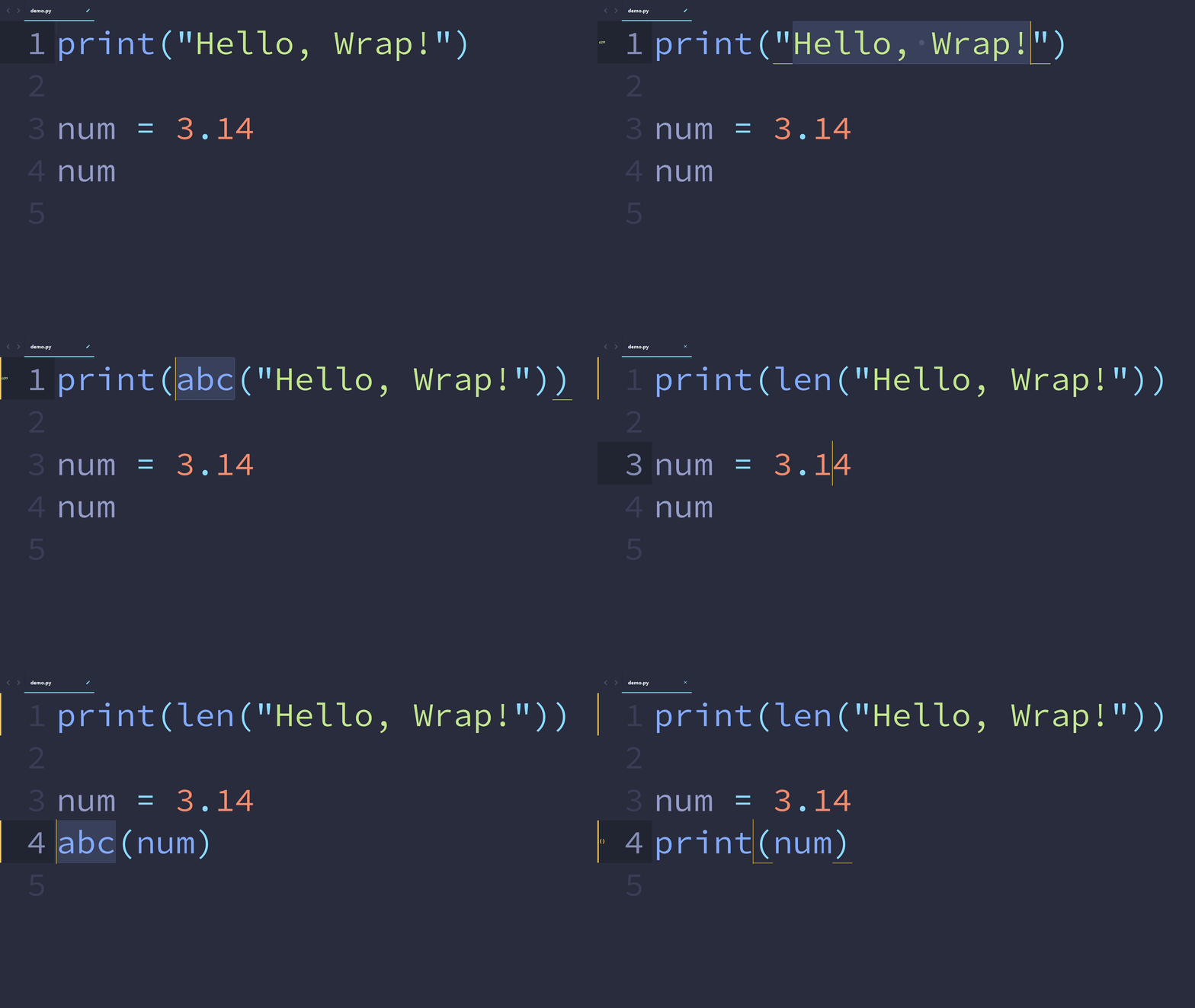
🎬 Demonstration
💻 Installation
The easiest way to install Wrap is through Package Control. After it is enabled inside Sublime Text, open the command palette and find Package Control: Install Package and press ENTER. Then, find Wrap in the list. Press ENTER again, and this plugin is installed!
📈 Usage
This plugin includes the command wrap, which can be run in the command palette as Wrap: Wrap.
Running the Wrap: Wrap command, the text selected or under cursor will be wrapped by brackets (bracket type can be customized). A placeholder will be inserted before the starting bracket and become selected.
Example:
- Original code:
x(xis selected or under cursor) - After
Wrap: Wrap:abc(x)(abcselected)
⚙ Customization
The Wrap plugin can be customized to your requirements.
🔧 Preferences
The types of brackets used by Wrap can be customized via the command Preferences: Wrap.
Change the default bracket type with the bracket_type setting.
Change context-specific bracket types with the contexts setting.
Default and context-specific bracket_types can be strings or lists. Strings can be used when a pair of brackets is 2 characters. Otherwise, use a list. Here are some examples:
"()","[]","{}"["{{ ", " }}"],["[[ ", " ]]"]
⌨ Keybindings
Keybindings can be created for the wrap command.
- Run the
Preferences: Wrap Key Bindingscommand in the command palette. - Add your keybindings!
Below is an example of the keybinding file:
[
    {
        "keys": ["alt+w"],
        "command": "wrap"
    }
]