LSP-rust-analyzer
Convenience package for rust-analyzer
Installations minus removals
Upgrades
- 20,530 installs
- 84 stars
Links
Versions
1.21.11
(ST4070+)
·
More
-
(ST4070+)
1.21.10
·
2026-09-28 18:21 -
1.21.9
·
2026-08-24 06:26 -
1.21.8
·
2026-07-30 21:14 -
1.21.7
·
2026-07-22 19:51 -
1.21.6
·
2026-07-22 19:49 -
1.21.5
·
2026-07-06 18:04 -
1.21.4
·
2026-07-04 16:11 -
1.21.3
·
2026-07-01 12:58 -
1.21.2
·
2026-06-23 14:39 -
1.21.1
·
2026-06-22 20:23 -
1.21.0
·
2026-06-22 20:09 -
1.20.13
·
2026-06-16 17:53 -
1.20.12
·
2026-06-10 17:23 -
1.20.11
·
2026-06-03 04:54 -
1.20.10
·
2026-05-19 05:26 -
1.20.9
·
2026-05-14 17:01 -
1.20.8
·
2026-05-06 19:04 -
1.20.7
·
2026-04-28 17:26 -
1.20.6
·
2026-03-31 19:17 -
1.20.5
·
2026-03-27 18:50 -
1.20.4
·
2026-03-16 21:04 -
1.20.3
·
2026-03-10 17:31 -
1.20.2
·
2026-02-27 18:54 -
1.20.1
·
2026-02-19 21:42 -
1.20.0
·
2026-02-09 20:04 -
1.19.0
·
2026-02-03 19:32 -
1.18.0
·
2026-01-29 18:08 -
1.17.5
·
2026-01-21 20:14 -
1.17.4
·
2026-01-12 20:27 -
1.17.3
·
2026-01-10 20:30 -
1.17.2
·
2026-01-10 17:53 -
1.17.1
·
2026-01-10 09:13 -
1.17.0
·
2026-01-09 17:24 -
1.16.0
·
2025-11-20 20:21 -
1.15.0
·
2025-11-11 09:27
LSP-rust-analyzer
This is a helper package that starts the rust-analyzer language server for you.
Installation
- Install LSP via Package Control.
- Install LSP-rust-analyzer via Package Control.
- (Recommended) Install the LSP-file-watcher-rust via Package Control to enable functionality to notify the server about changed files.
Configuration
You can edit the global settings by opening the Preferences: LSP-rust-analyzer Settings from the Command Palette.
You can also have a project-specific configuration. Run the Project: Edit Project from the Command Palette and edit the following in the settings object.
{
    // folders: [
    //   ...
    // ]
    "settings": {
        "LSP": {
            "LSP-rust-analyzer": {
                "settings": {
                    //Setting-here
                }
            }
        }
    }
}
Applicable Selectors
This language server operates on views with the source.rust base scope.
Installation Location
The server binary is automatically downloaded to $CACHE/Package Storage/LSP-rust-analyzer.
Custom Command Palette Commands
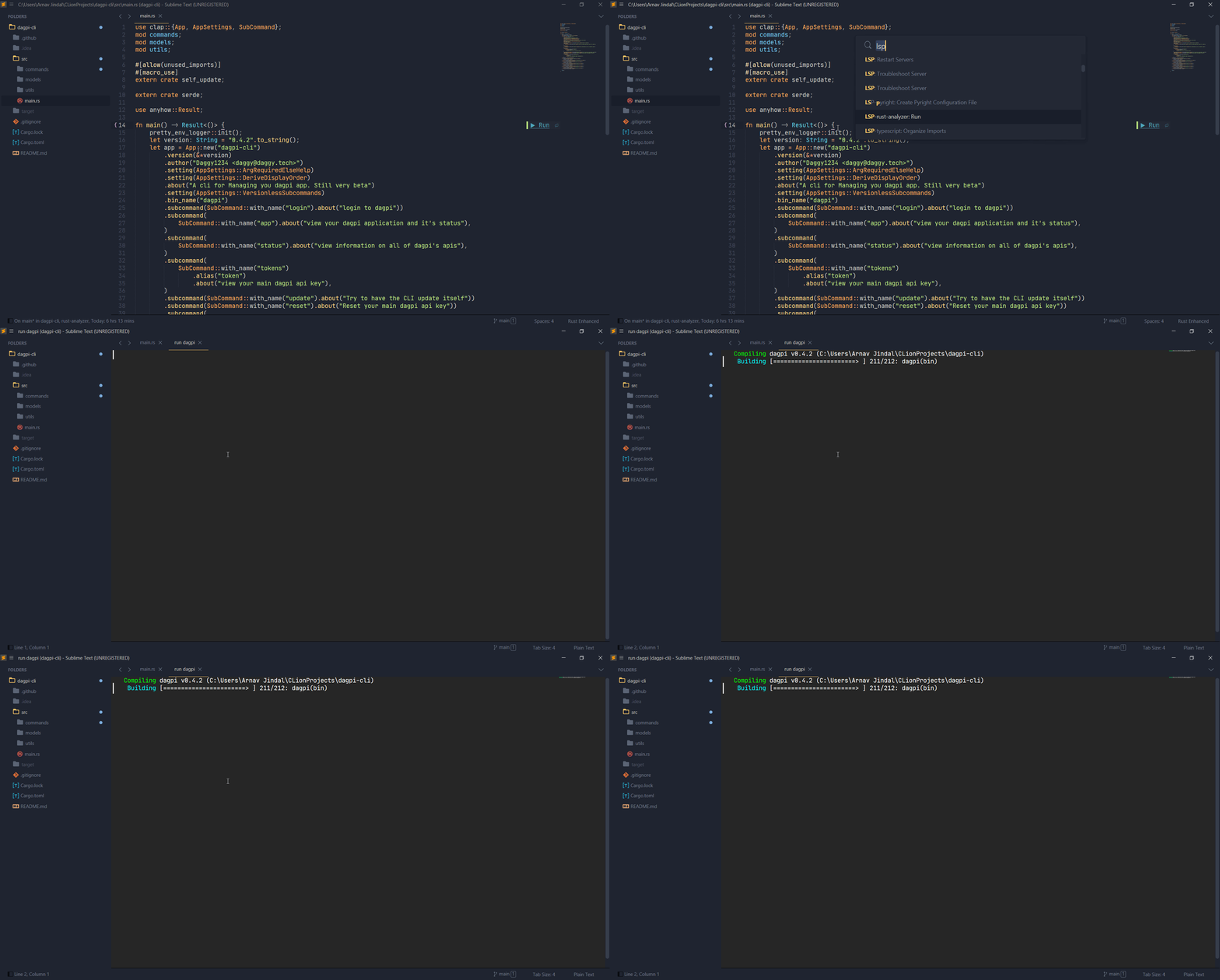
LSP-rust-analyzer: Run...
Select a cargo command from the submenu. This spawns a shell with Terminus for tests, checks and executing code.
Note: The Terminus package needs to be installed for this functionality.
LSP-rust-analyzer: Join Lines
Joins lines accounting for rust-specific logic.
Also bound to the default join-lines key binding (ctrlshiftj or commandshiftj on Windows/Linux and Mac respectively).
LSP-rust-analyzer: Move Item Down / Move Item Up
Moves item under cursor/selection in specified direction.
LSP-rust-analyzer: Open Docs Under Cursor
Opens the URL to documentation for the symbol under the cursor, if available.
LSP-rust-analyzer: Reload Project
Reloads the project metadata, i.e. runs cargo metadata again.
LSP-rust-analyzer: Expand Macro Recursively
Shows the full macro expansion of the macro at current cursor.