Coconut
Coconut syntax highlighting for Sublime Text and VSCode.
Installations minus removals
Upgrades
- 592 installs
- 17 stars
Links
Versions
2.3.1
·
More
-
2.3.0
·
2026-11-27 04:59
Coconut Editor Support: VS Code, Sublime Text, and AI Agents
This repository contains Coconut language support for Visual Studio Code (and compatible editors like VSCodium and Cursor, via Open VSX), Sublime Text, and AI coding agents (via MCP):
- Syntax highlighting and snippets for
.cocofiles (and Coconut code blocks in Markdown). - A Coconut language server, providing:
- errors and warnings from the Coconut compiler as you type, with precise locations;
- linting of the compiled code (undefined names, unused imports and variables, redefinitions), mapped back to your Coconut source;
- optional type checking with mypy, also mapped back to your Coconut source;
- hover information: types, signatures, and docstrings, plus Coconut's own documentation for built-ins (
fmap,reduce, ...), keywords (match,data,where, ...), and operators (|>,..>,$,??, ...); - completions (including while the file doesn't compile yet) and signature help;
- go to definition (including across
.cocofiles), go to type definition, find references, highlight references, and rename; - document outline and workspace symbol search;
- quick fixes to remove unused imports or suppress a warning with
# NOQA.
- Commands (VS Code) to show the compiled Python side by side, run or compile the current file, and open the Coconut interpreter.
| Hover docs for Coconut built-ins, live errors and lint | Completions, even while the line doesn't compile |
|---|---|
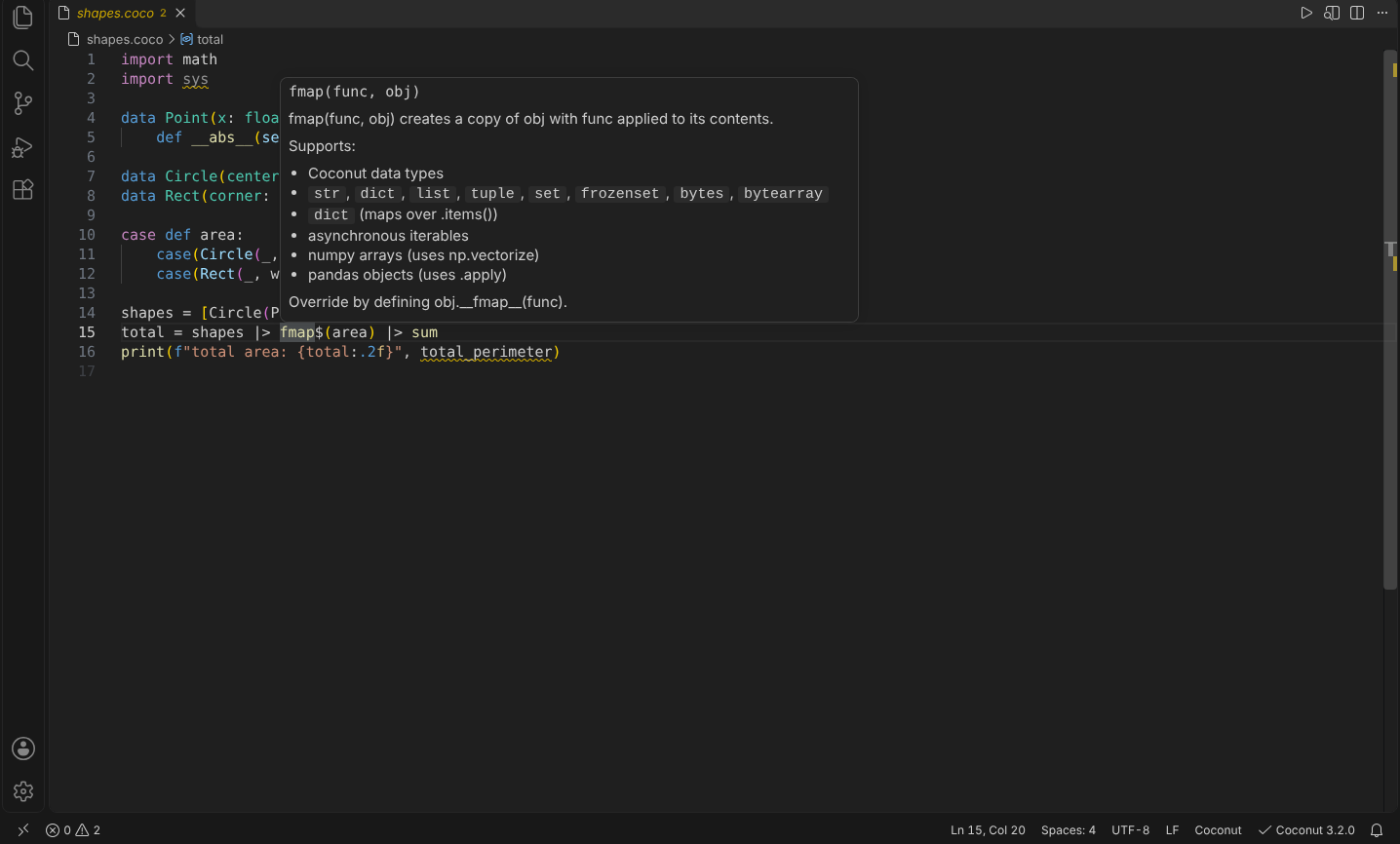 |
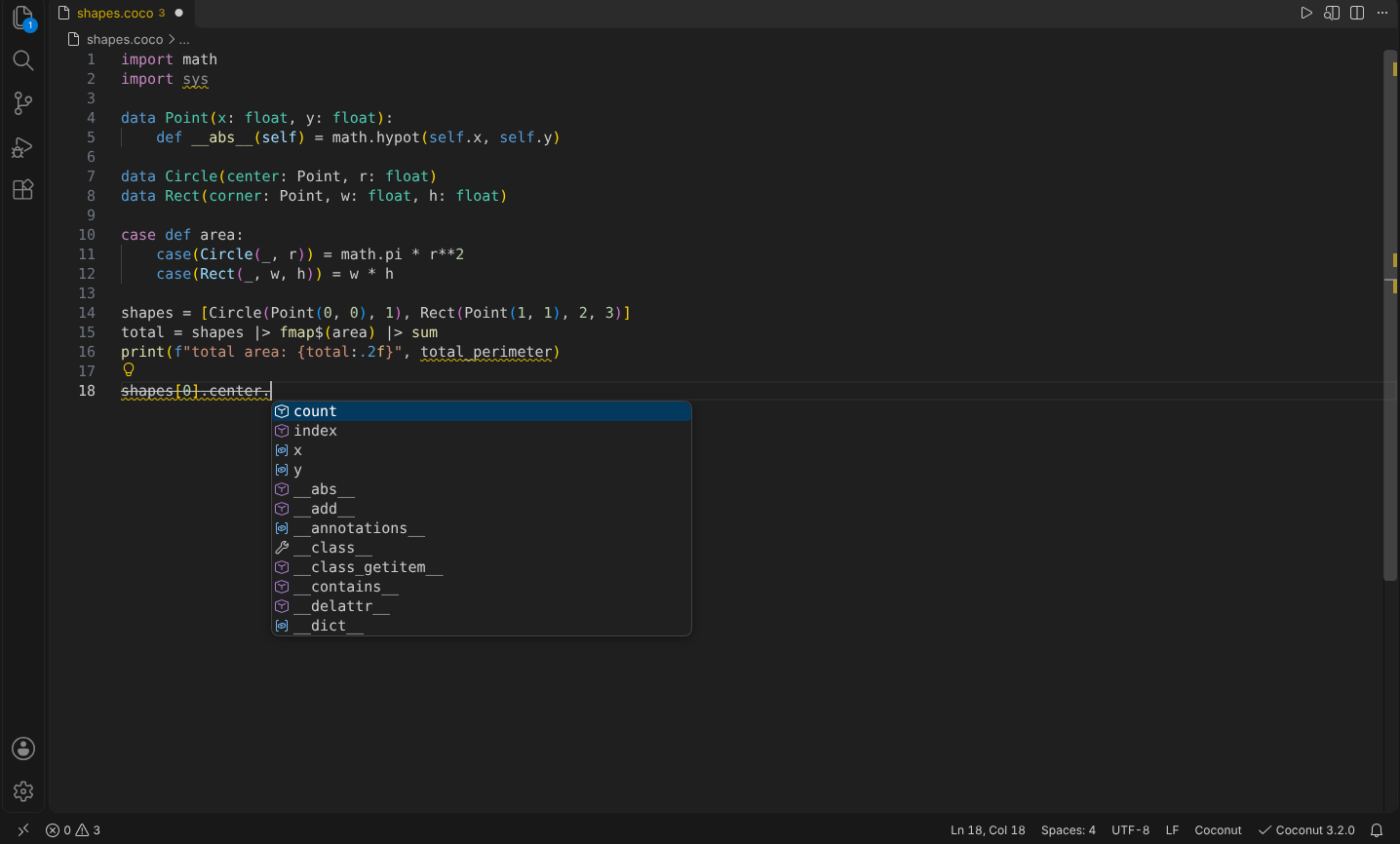 |
| Pattern-matching functions and the Problems panel | Compiled Python, side by side and in sync |
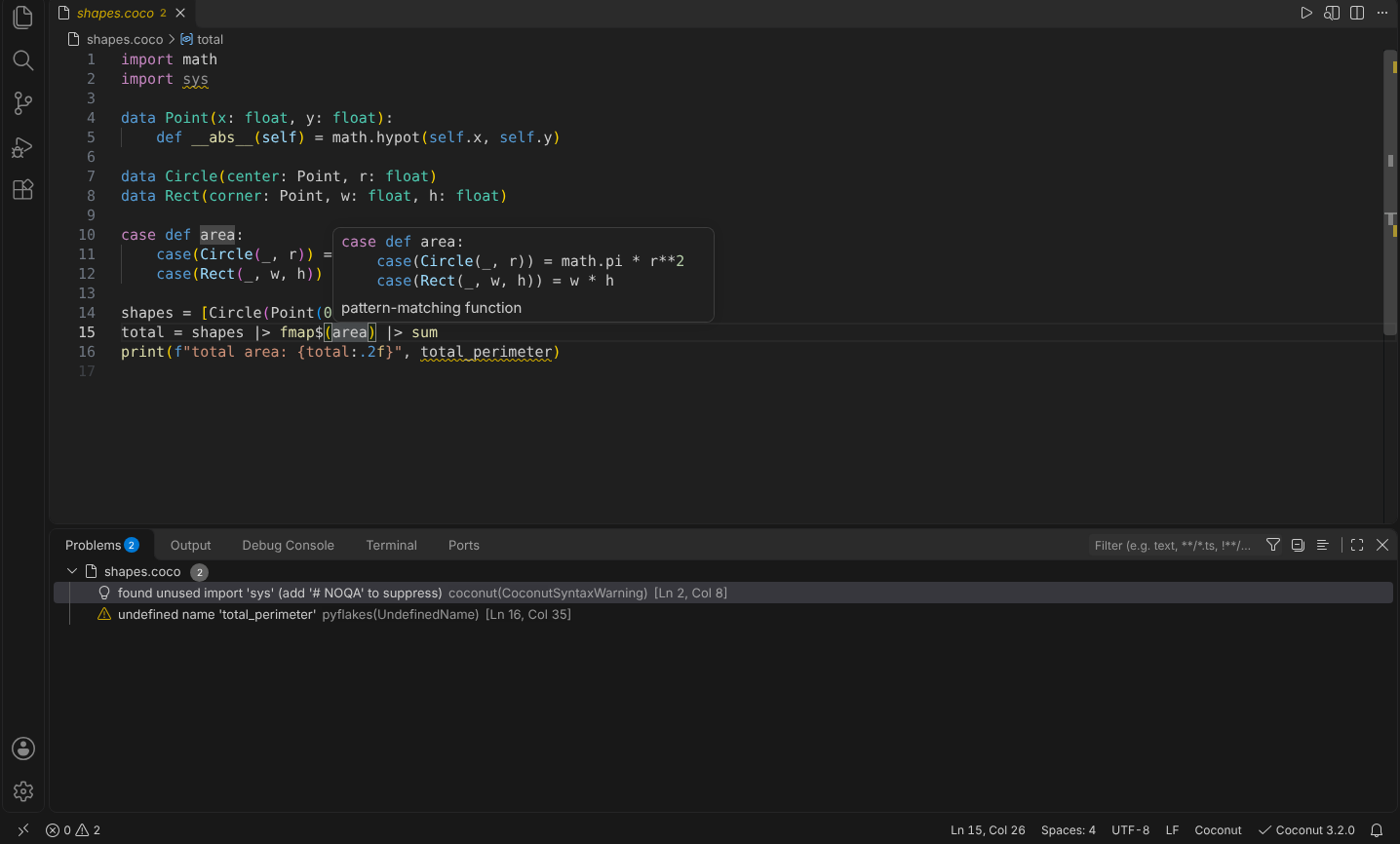 |
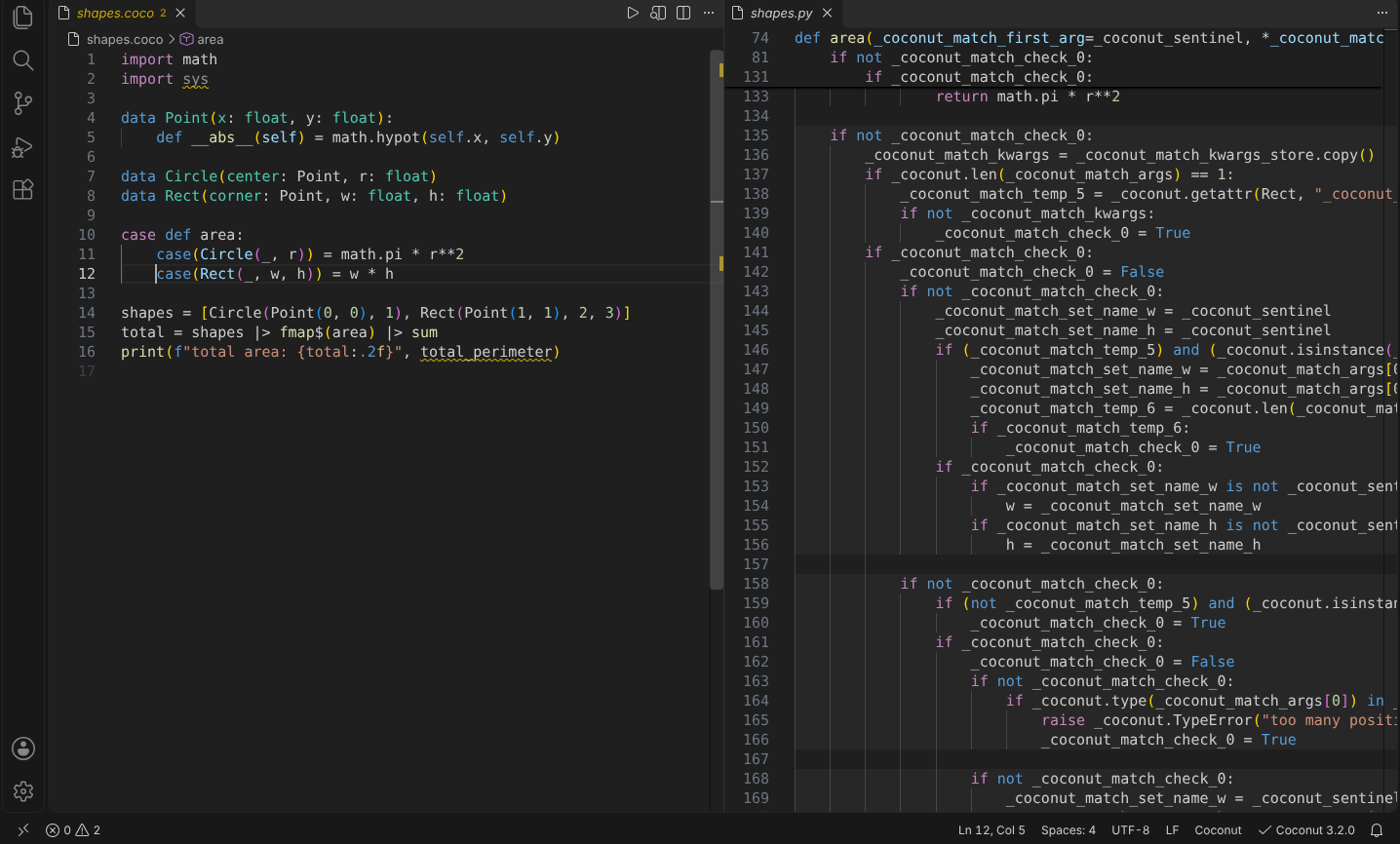 |
For installation instructions for Coconut itself, see Coconut's documentation.
VS Code
Install the Coconut extension, then make sure the Python interpreter you use has Coconut installed:
pip install coconut
The language server runs with the interpreter selected in the Python extension (or python3/python if it isn't installed); if Coconut isn't installed there, the extension offers to install it. To use a different interpreter, set coconut.languageServer.pythonPath. Code intelligence (jedi) and linting (pyflakes) come bundled; versions installed in your environment take precedence.
Commands (Command Palette → "Coconut"):
| Command | |
|---|---|
Coconut: Show Compiled Python (Ctrl+K V) |
Opens the compiled Python beside the editor, scrolled to the current line, updating live as you type |
| Coconut: Run Coconut File | Runs the file in a terminal (coconut --run --no-write) |
| Coconut: Compile Coconut File | Compiles the file to a .py next to it |
| Coconut: Open Coconut Interpreter | Starts the Coconut REPL in a terminal |
| Coconut: Install/Upgrade Coconut in the Selected Interpreter | |
| Coconut: Restart Language Server |
Settings:
| Setting | Default | |
|---|---|---|
coconut.target |
"sys" |
Python version to target (Coconut's --target), e.g. "3.8", "2.7" |
coconut.strict |
false |
Coconut's --strict style checks |
coconut.languageServer.enabled |
true |
Start the language server |
coconut.languageServer.server |
"auto" |
"auto": Coconut's own coconut --lsp if the installed Coconut has it, else the bundled server; or "coconut" / "bundled" (see below) |
coconut.languageServer.pythonPath |
"" |
Interpreter with Coconut installed (default: the Python extension's selection) |
coconut.languageServer.lint |
true |
Lint compiled code with pyflakes |
coconut.languageServer.mypy |
false |
Type-check with mypy on open/save (needs pip install mypy) |
coconut.languageServer.compileTimeout |
60 |
Seconds before giving up on compiling a file |
coconut.languageServer.command |
[] |
Advanced: a custom command to start a language server |
Sublime Text
Install the Coconut package for syntax highlighting and build systems ("Run file", "Check file for errors", ...). For the language server, also install the LSP package and Coconut, plus optionally jedi and pyflakes for code intelligence and linting:
pip install coconut jedi pyflakes
The Coconut language server then starts automatically for Coconut files, using python3 (python on Windows). To use a specific interpreter, open Preferences → Package Settings → Coconut → LSP Settings and set:
{
    "command": ["/path/to/venv/bin/python", "${server_path}"]
}
AI agents
The language server, a Model Context Protocol server, and a command-line interface all make Coconut tooling available to AI coding agents. They need Python 3 with Coconut installed (pip install coconut jedi pyflakes).
Claude Code
The Claude Code plugin for Coconut lives in the Coconut repository, versioned with the compiler. It runs Coconut's own language server (coconut --lsp) and MCP server (coconut --mcp), and includes a skill built on coconut --ai-docs. It needs coconut-develop 3.2.0.post0.dev20 or later (pip install -U "coconut-develop[lsp]"):
/plugin marketplace add evhub/coconut
/plugin install coconut@coconut
Other agents (MCP)
Any MCP-capable agent (Cursor, Codex, VS Code Copilot, Claude Desktop, ...) can use the Coconut MCP server. With coconut-develop 3.2.0.post0.dev20 or later, use "command": "coconut", "args": ["--mcp"]. With a released Coconut, clone this repository and add a stdio server to your agent's MCP configuration:
{
    "mcpServers": {
        "coconut": {
            "command": "python3",
            "args": ["/path/to/sublime-coconut/server/coconut_language_server.py", "mcp"]
        }
    }
}
Tools: coconut_check (errors and warnings for a file, directory, or snippet, optionally type-checked with mypy), coconut_compile (the Python a snippet compiles to), coconut_docs (Coconut documentation for any built-in, keyword, or operator), coconut_hover, coconut_definition, coconut_references, and coconut_symbols.
Command line
The same features are available as one-shot commands, for scripts, CI, and agents without MCP support. Positions are 1-based; add --json for machine-readable output.
python3 server/coconut_language_server.py check src/              # exit code 1 if there are errors
python3 server/coconut_language_server.py check src/ --mypy       # also type-check with mypy
python3 server/coconut_language_server.py compile file.coco --no-line-comments
python3 server/coconut_language_server.py hover file.coco 12 5
python3 server/coconut_language_server.py definition file.coco 12 5
python3 server/coconut_language_server.py references file.coco 12 5
python3 server/coconut_language_server.py symbols file.coco
python3 server/coconut_language_server.py docs "|>"
Other editors
Any editor with LSP support (Neovim, Helix, Emacs, Zed, ...) can use the language server: run python3 /path/to/sublime-coconut/server/coconut_language_server.py (LSP over stdio) for files with the coconut language ID. Initialization options (also accepted through workspace/didChangeConfiguration): target, strict, lint, mypy, compileTimeout. The server also answers coconut/compiled ({textDocument: {uri}} → the compiled Python) and coconut/info requests.
Which language server runs
Coconut's development version includes its own language server, coconut --lsp: from coconut-develop 3.2.0.post0.dev20 on, it's this repository's language server, merged into Coconut and versioned with the compiler (install it with pip install -U "coconut-develop[lsp]"; it runs on Python 3.8+). The editor packages and the launcher (server/coconut_language_server.py) use it automatically whenever the installed Coconut has it, and otherwise fall back to the language server bundled here, so released versions of Coconut get full support too. Earlier development versions had a more limited coconut --lsp, so the bundled server is preferred over those. To choose explicitly, set coconut.languageServer.server in VS Code to "coconut" or "bundled", or pass --server coconut|bundled to the launcher.
How the bundled language server works
The server (in server/, pure Python with no dependencies besides Coconut) compiles each open file with the Coconut compiler in a background worker process, reporting the compiler's errors and warnings. For code intelligence, it runs jedi on the compiled Python and maps positions back to the Coconut source using the line-number comments the compiler emits. When the file doesn't compile (as while typing), it analyzes the most recent version that did, with the code being typed spliced in at the matching scope, and neutralizes broken lines so the rest of the file stays analyzable.
Development
make test           # language server tests (pip install -r server/requirements.txt pytest)
make test-vscode    # VS Code integration tests (needs Node.js; uses xvfb-run on Linux)
make package        # build the .vsix (bundles jedi/pyflakes via scripts/vendor.py)
make docs-data      # regenerate hover docs from Coconut's DOCS.md
Syntax highlighting is generated from sublime_coconut/specification.py with python build.py (requires tmtools). See AGENTS.md for a guide to the codebase.
Credits:
- VSCode integration based on kobarity's Coconut VSCode package.
- Python syntax highlighting based on petervaro's Python highlighter.