Archive Nested Lines
Sublime plugin that archives text lines to bottom of a file, while keeping indented nesting
Installations minus removals
Upgrades
- 1 installs
Links
Versions
1.0.2
(ST4000+)
·
Archive Nested Lines - The world's simplest productivity tool
Do you like using simple plain text files for your notes and todos? How about adding a quick command to your text editor to stash finished todos and notes to an archive?
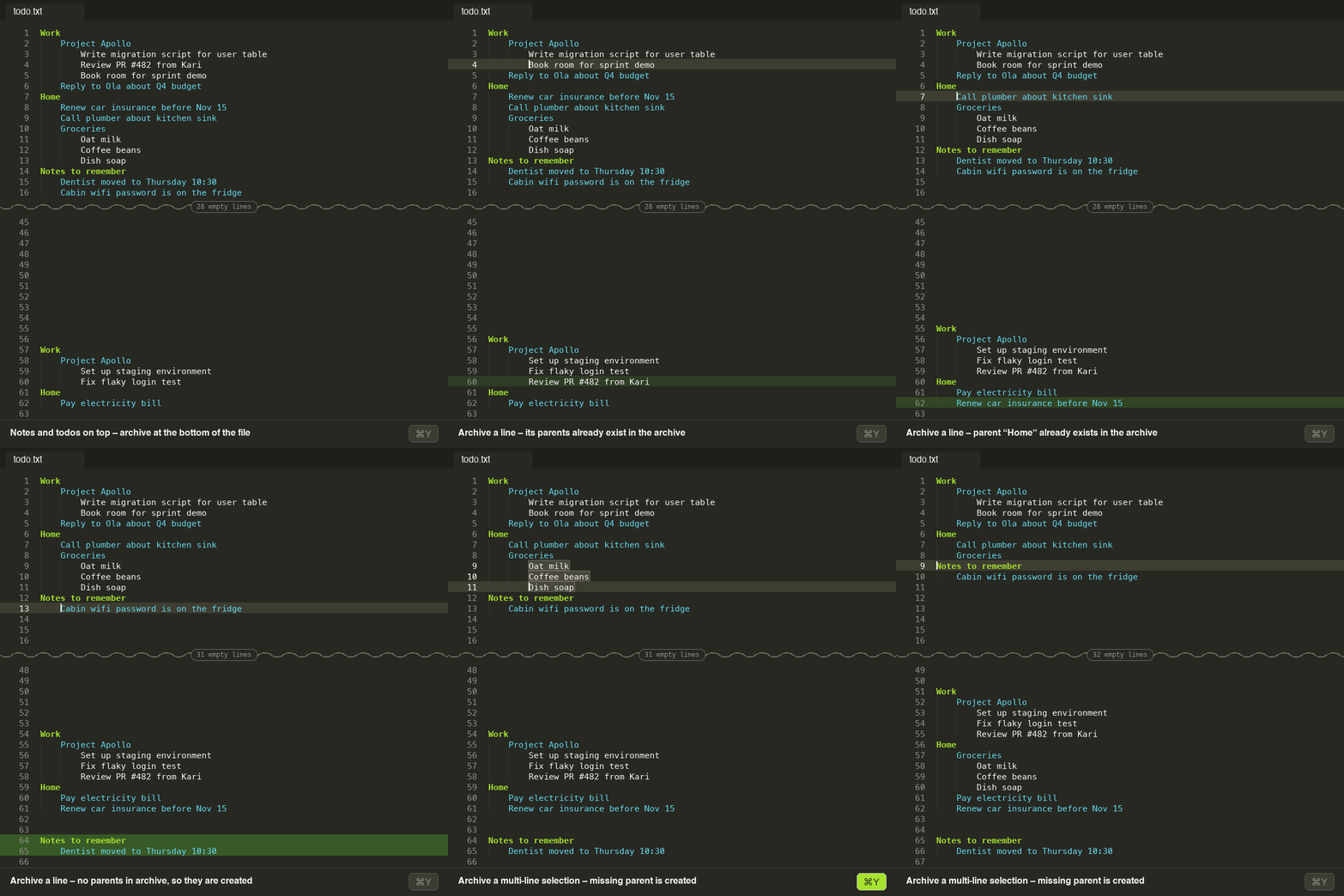
This is a plugin for Sublime Text that archives text lines to the bottom of the file, while preserving nested headings and sublists.
No process, no tools and no special syntax, just one single searchable plain text file. The top part has text lines that are currently relevant, and the bottom part is an archive for reference.
Installation
Install with Package Control:
- Open the Command Palette (
Cmd+Shift+Pon macOS,Ctrl+Shift+Pon Windows/Linux) - Run
Package Control: Install Package - Select
Archive Nested Lines
Usage
Place the cursor on a line (or select several lines) and run Archive Nested Lines from the Command Palette.
The line is moved to the bottom of the file together with its parent lines (the lines above it with less indentation). If the parents are already archived, the line is placed under the existing archived parents.
Add some empty lines between the archived ones and the rest, so it is easy to see what is what
Key binding
No key binding is set by default. To add one, open Preferences > Key Bindings and add for example:
[
    { "keys": ["super+y"], "command": "archive_nested_lines" }
]
Use ctrl+y instead of super+y on Windows/Linux, or any other key combination you prefer.
License
MIT